Plan ClipPack for your restaurant’s packing station
Start with the part of an order you need to review: packing a bag, handing it to a driver, or passing it through a drive-thru window. Use that workflow to plan camera coverage and recording length with ClipPack before installation.
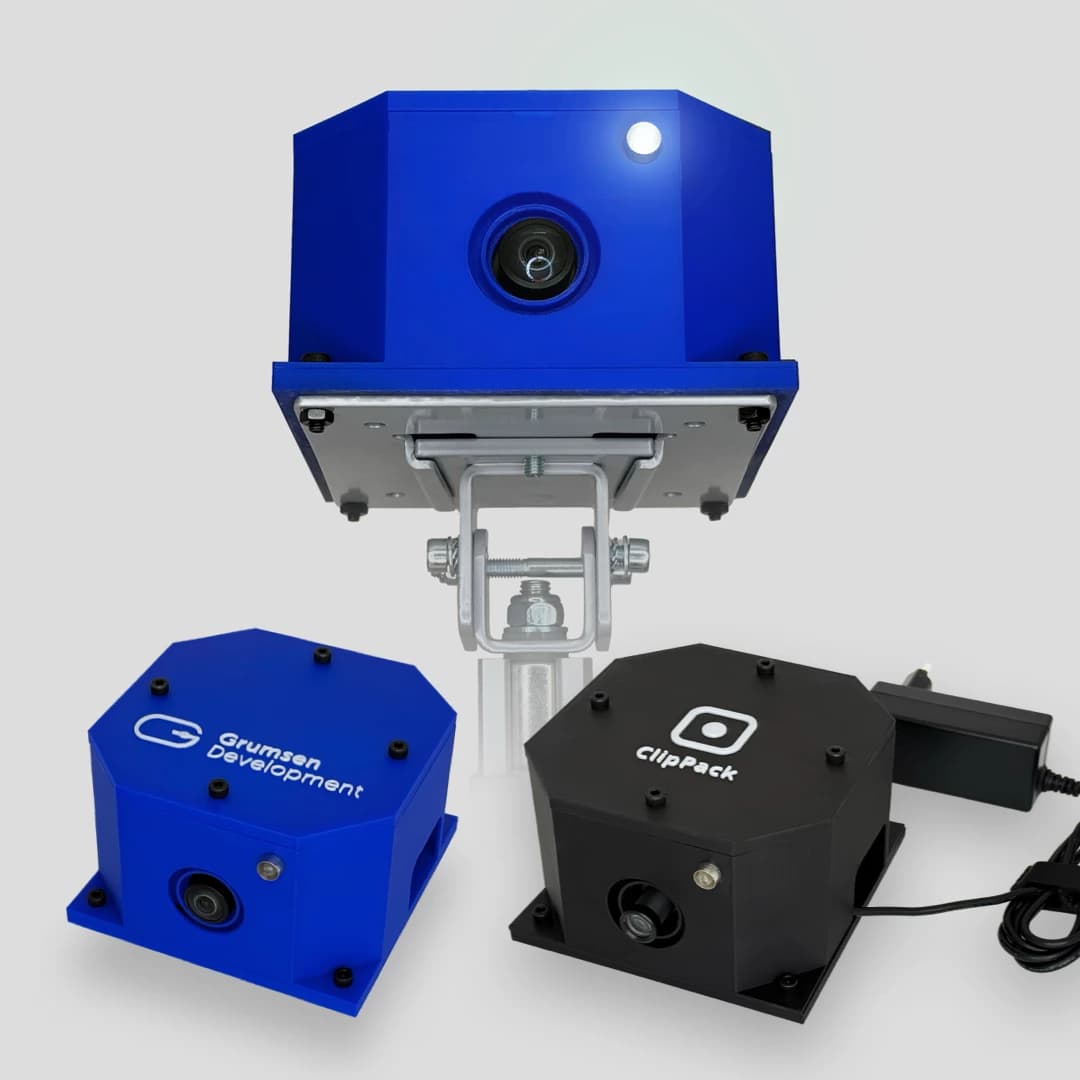
This guide helps restaurant operators prepare a setup conversation and check the result. Mounting, connections and commercial terms need to be agreed for your installation. The product photo shows the unit; it is not a customer installation example.
Plan the view before you mount it.
Start with the action you need to review. Then check the camera’s view, allow for pauses and try one complete order with your team.
Scroll through the workflow, or choose a step.
- 01
Put the relevant action in view
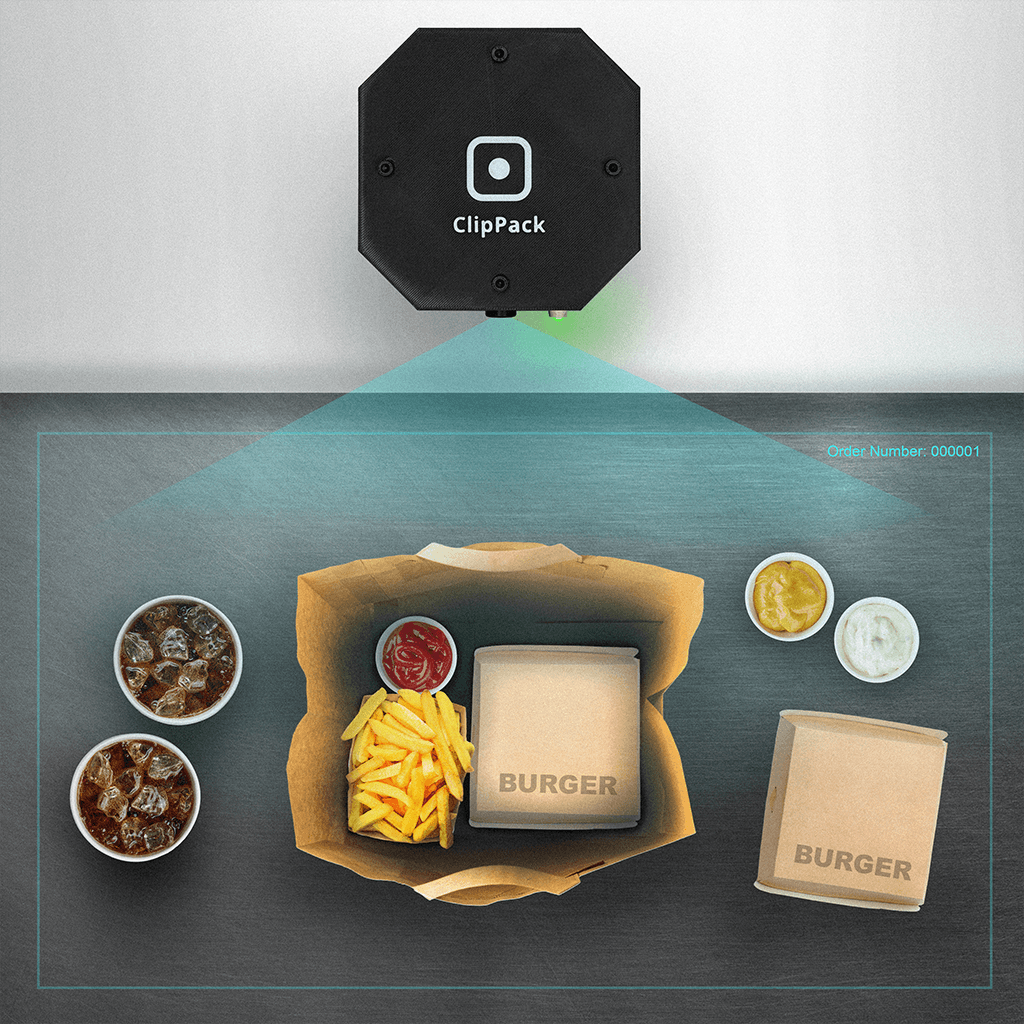
Mount the camera above the desk with a view down into the open bag. An optional marked packing area helps staff keep the packing in view. Include drinks and items packed separately. Discuss the number and placement of devices with ClipPack if packing and handover happen in different places.
Choose the action you need to review
- 02
Check the view with staff in place
Have staff work in their normal positions. Look for hands, stacked bags and equipment that hide the action. If order numbers need to be read from the POS screen, include it and check glare and legibility in the trial recording.
Check for obstructions and unreadable order numbers
- 03
Record through to the final item
Start before the relevant action begins and include the last bag or drink. Try an order with a pause while staff prepare a second bag. Recording length can be customized during setup; agree it with ClipPack and check that the team’s start/stop routine covers the full sequence.
Include pauses and the final item
- 04
Review a complete trial order together
Find the trial clip in Recordings using the date range, order number and device, or use the device’s recording list. Open Play recording for a Ready clip. With a colleague who has access, check the first and last actions, camera coverage and screen legibility. Adjust the setup and repeat the trial if needed.
Confirm the view and timing with a trial clip
Schematic illustrations and an example trial review. Confirm the actual camera view, mounting position and recording length at your station with a trial recording. Agree installation details with ClipPack.
Make three decisions about the recording
Walk through a normal order at the actual station. Include the bags, drinks, order screen and the places staff stand.
Choose the action you need to see
Mark where packing begins and where the finished order leaves the station. A view of an open bag can help review packing; the handover may happen elsewhere. If the two actions cannot fit in a useful view, discuss the number and placement of units with ClipPack. A camera does not show the contents of an opaque container.
Check the view from the proposed position
Mount the camera above the packing desk, looking down into the open bag. Consider marking the packing area to help staff keep the work in view. Check whether hands, stacked bags or equipment obscure the action. Include the till screen if order numbers need to be read from it. Check glare and legibility in a test recording, and keep the start/stop contact within reach.
Agree a recording length that fits the workflow
Recording length can be customized during setup. Time a normal order and one with a pause, such as waiting for a second bag. Agree the duration with ClipPack and check the first and last relevant actions in a trial clip. Staff can start and stop recording with the contact.
Confirm these points before you book installation
Use this list when discussing the setup. Record the agreed requirements and responsibilities so your restaurant and installer work from the same information.
- Power and network
- Show ClipPack where power and network connections are available. Confirm the required connection types, cable routes and any work your IT contact needs to arrange before the installation date.
- Mounting and equipment
- Agree the number of stations and units, the mounting point, equipment included, and who supplies and fits it. Check that the proposed position works around staff movement and the station’s normal cleaning routine.
- Access and retention
- Identify who needs to review recordings and who may correct order-number labels. Agree the organization’s retention period with ClipPack; it is not a self-service setting in the app. Include your internal process for recording access and use in the handover.
- Price and service
- Request a current written quote covering installation, equipment, recurring charges, VAT and any additional work. Confirm support arrangements, equipment responsibility, contract duration and cancellation terms before accepting the quote.
Check one complete order from recording to playback
Use a clearly identified test order with your team. The app menu names below match the current English interface.
Record the relevant sequence
Start before packing or handover begins and include the last relevant item. Try a pause and an order with several bags or drinks. Confirm that the chosen duration and staff’s start/stop routine cover the action you need to review.
Find the test order on the correct device
Open Recordings and search the test order number with its date range, optionally narrowing by device. You can also open the device’s own recording list. If no number was read, clear the order search and compare the date, Started time and visible sequence.
Open the uploaded recording and check the view
For a recording with status Ready, open the row menu and choose Play recording. Check the start and end times, visible items, screen legibility and handover coverage. Uploading and Failed recordings cannot be played. If a clip is unavailable, check the device’s last reported upload queue and failed recordings, then agree the next action with ClipPack.
Confirm access and record the outcome
Have a colleague with the intended permissions open the same recording from their account. Note any blind spots, missing sequence or unreadable labels and who will resolve them. Repeat the relevant test after changing the position or duration. Keep a device and recording-time reference; playback links expire and are not permanent sharing links.
Use the view you have checked
Repeat the check when the camera moves or the packing layout changes. For day-to-day investigations, use the guide that matches the customer’s question. Tell ClipPack about your stations and workflow to discuss an installation.
Before you decide
- What does the complete quote cover?
- Rental is priced per camera. Startup includes hardware and setup, and the final price depends on installation complexity and your requirements. The quote specifies the camera quantity, startup price, included equipment, mounting, any integration and agreed ongoing services.
- Can ClipPack work with our station and system?
- We review power, network access, camera placement and how you identify orders or products. Rental-system integration is assessed separately. The customer case describes one specific integration.
- How do we agree duration, retention and access?
- Recording length and your organization’s retention period are agreed with ClipPack during setup. Permissions control access to recordings. There is no self-service setting for changing retention.
- How long is the rental period, and how does it renew?
- The minimum rental period is 6 months. The rental then renews automatically for successive 6-month periods. Written cancellation must be received at least 30 days before renewal. The written quote specifies the cancellation notice, support and responsibility for equipment for you to review before ordering.
- Is there a free trial?
- We do not offer a free trial. We discuss your requirements and agree pricing, setup and terms before you order.